
Viewers expect video to start fast, look sharp and never stop to buffer, on a phone in a car as much as on a living-room TV. Two things decide whether that happens: the resolution and bitrate you stream at, and whether you stream it as a single file (progressive) or as a set of qualities the player can switch between (adaptive). This guide covers both.
Video resolutions: SD, HD, Full HD and 4K
Resolution is the number of pixels in each frame, written as width × height or by its height alone (720p, 1080p). The "p" stands for progressive scan: every line of the frame is drawn each time.
| Name | Resolution | Pixels per frame | Typical streaming bitrate (H.264) |
|---|---|---|---|
| SD (480p) | 854 × 480 | about 0.4 million | 1–2 Mbps |
| HD (720p) | 1280 × 720 | about 0.9 million | 2.5–4 Mbps |
| Full HD (1080p) | 1920 × 1080 | about 2.1 million | 4.5–6 Mbps |
| QHD (1440p) | 2560 × 1440 | about 3.7 million | 8–12 Mbps |
| 4K UHD (2160p) | 3840 × 2160 | about 8.3 million | 15–25 Mbps |
Bitrates are typical ranges, not fixed rules. Fast motion (sport, concerts) needs the upper end; a talking head or slides can look clean at the lower end. Newer codecs such as HEVC (H.265) reach the same quality at roughly 30–50% lower bitrate, but not every device can play them, so H.264 remains the safe default.
What is Full HD video resolution?
Full HD video resolution is 1920 × 1080 pixels, also called 1080p. It has 2.25 times the pixels of 720p HD and is the standard for most online video today. For high definition streaming, 1080p at 25 or 30 frames per second and 4.5–6 Mbps looks sharp on laptops and most TVs, while 720p is often enough on phones, where the screen is small.
What internet speed does high definition streaming need?
The viewer's connection has to stay comfortably above the stream's bitrate, because real-world speed drops and other devices share the line. As a rule of thumb:
- SD: 3 Mbps or more
- HD and Full HD (720p–1080p): 5–10 Mbps
- 4K: 20–25 Mbps
On the broadcaster side, the upload line from your studio or venue should be at least 1.5 times the bitrate you send, so a short dip in the connection doesn't freeze the stream for every viewer.
What is progressive streaming?
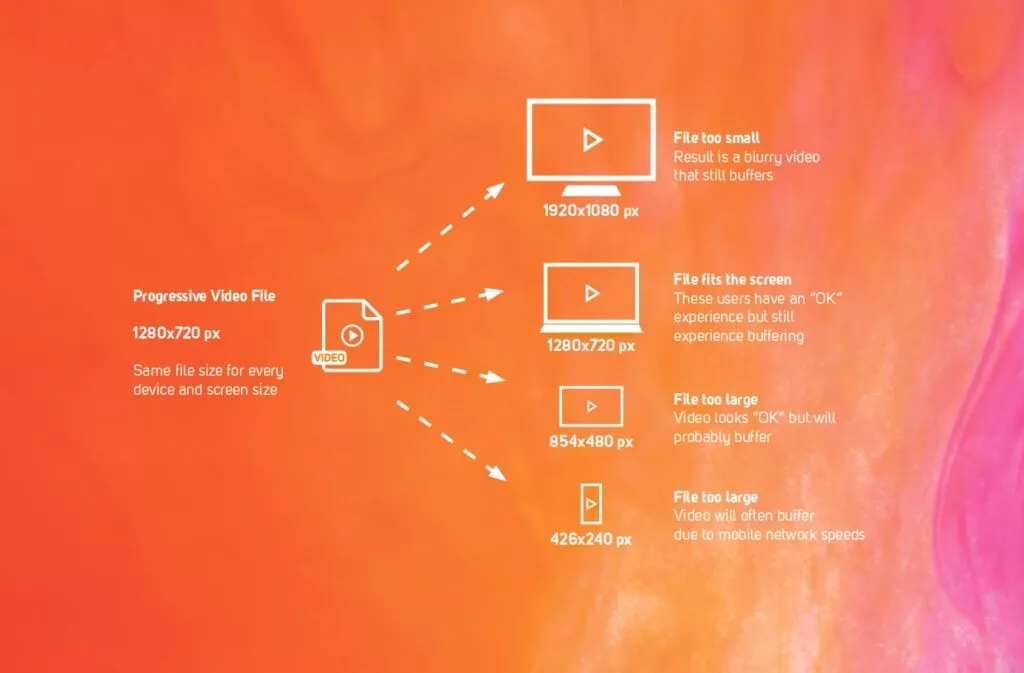
A progressive video stream is a single video file delivered over the internet, usually one MP4. The picture scales up or down to fit the screen, but the file itself, its resolution and its bitrate are the same on every device. If the viewer's connection can't keep up with that one bitrate, the video pauses and buffers. There is no lower quality to fall back to.
What is adaptive streaming and how does it work?
Adaptive bitrate streaming (ABR) gives each viewer the highest quality their connection can carry at that moment. It works in three steps:
- Encode a ladder of qualities. The video is prepared at several resolutions and bitrates, for example 360p, 720p and 1080p.
- Cut each quality into short segments. Each rendition is split into chunks a few seconds long and described in an HLS or DASH playlist.
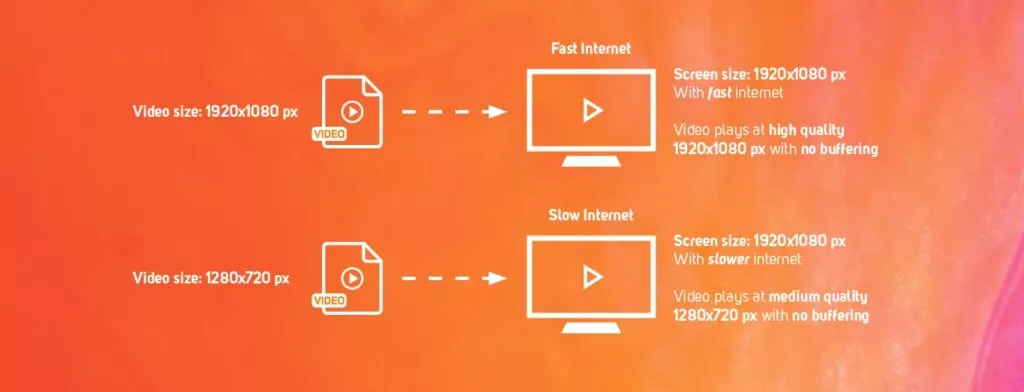
- Switch per segment. Before each chunk, the player measures the connection and picks the right rendition. When the network slows down it steps down a quality; when it recovers it steps back up.
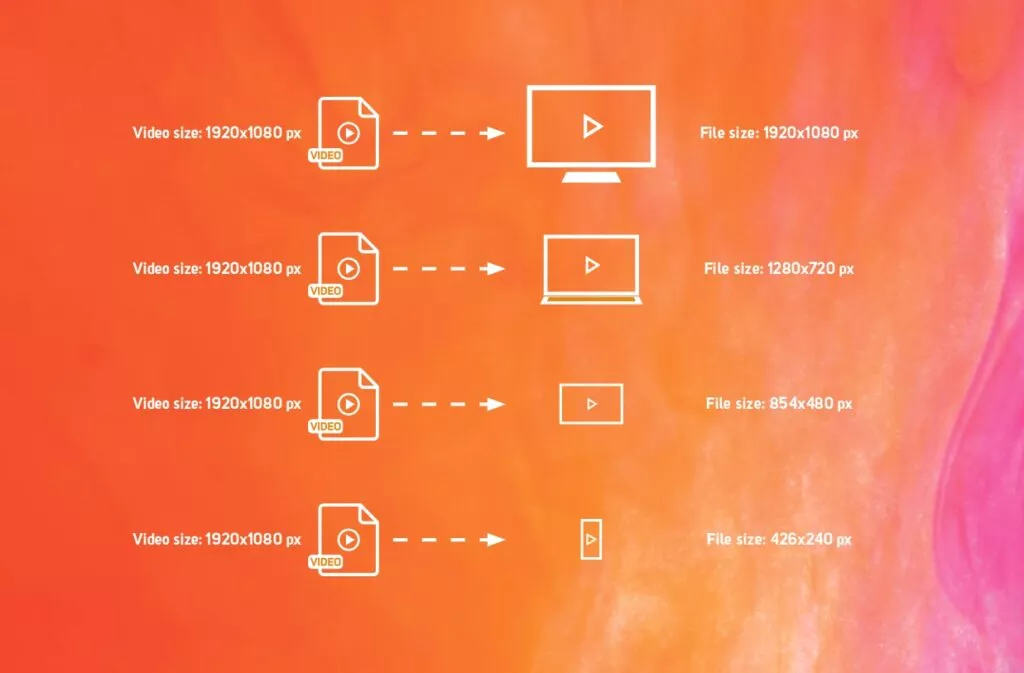
The result: a viewer on a weak mobile connection watches at lower quality for a moment instead of staring at a spinner, and a viewer on fibre gets full HD from the first seconds.
Progressive vs adaptive streaming
| Progressive | Adaptive | |
|---|---|---|
| Qualities | One | Several, switched on the fly |
| On a weak connection | Pauses and buffers | Drops quality and keeps playing |
| Format | Usually a single MP4 file | HLS or DASH segments |
| Live streaming | Not suitable | The standard method |
| Preparation | None | Encoding for each quality |
| Best for | Short clips, downloads | Live, long-form video, mobile viewers, HD and 4K |
Why a CDN matters for HD video
Adaptive streaming picks the right quality, but the segments still have to arrive quickly. A content delivery network (CDN) caches the video on edge servers in many cities and countries, so each viewer fetches it from a server nearby instead of from one central origin. Shorter distance means faster segments, and spreading the load means a spike of thousands of viewers doesn't take the stream down. Read more in what is a CDN?
Adaptive streaming also helps your delivery bill: viewers on small screens or slow connections pull lower-bitrate renditions instead of the full HD file, so you don't pay to deliver pixels nobody can see.
Frequently asked questions
What is high definition streaming?
Streaming video at 720p (1280 × 720) or higher. Full HD is 1080p (1920 × 1080); 4K UHD is 3840 × 2160.
Is 720p HD or Full HD?
720p is HD. Full HD is 1080p, with 2.25 times as many pixels.
What bitrate should I use for 1080p streaming?
Around 4.5–6 Mbps with H.264 for most content, towards the top of that range for fast motion.
What is the difference between progressive and adaptive streaming?
Progressive streaming sends one file at one quality and buffers when the connection can't keep up. Adaptive streaming sends several qualities and switches between them, so playback continues.
Do I need 4K?
Only if your audience watches on large 4K TVs and your content benefits from the detail. 4K needs roughly four times the bitrate of 1080p, so it raises delivery costs and the speed viewers need.
Streaming with Onveo
Videos you upload to Onveo are encoded into several qualities and delivered as HLS adaptive streams through a CDN, so each viewer gets the best quality their connection allows. Book a demo to go through your setup, or see how broadcasters use Onveo.